
Business Technology Advisors
Digital Signage in Scottsdale, AZ.
Scottsdale’s resort properties and upscale dining establishments use hotel digital signage and restaurant digital signage to manage guest experiences across sprawling properties where printed materials become outdated quickly. Golf courses display tee time information and tournament schedules that adjust based on weather conditions and course availability. Retail digital signage in Old Town and Kierland Commons coordinates promotional content for luxury brands requiring sophisticated visual presentation.
Corporate digital signage serves healthcare facilities, professional services firms, and companies throughout the Airpark business district. Arizona’s intense sunlight creates specific requirements for commercial displays – screens visible indoors may wash out completely in spaces with south or west-facing windows without adequate brightness ratings. Cloud-based digital signage systems manage content across Scottsdale’s spread-out geography where businesses often operate multiple locations throughout the Valley.
We Service
Retail Restaurants Hospitality Corporate Offices Healthcare Banking Schools Government

Digital Menus
Transform your Scottsdale restaurant or café with dynamic menu boards.
✓ Update pricing instantly
✓ Reduce wait times
✓ Increase check averages
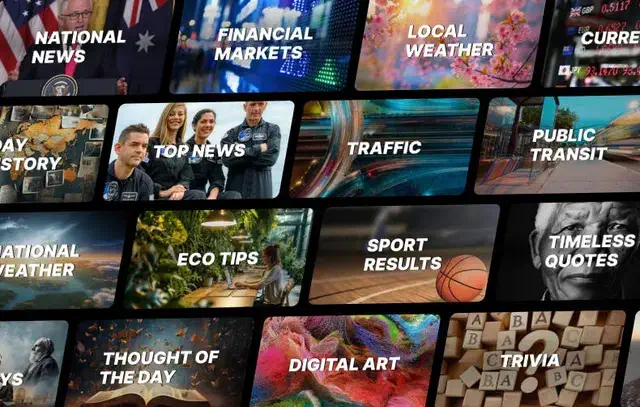
Info Displays
Information displays keep your space organized and standardize the experience across Arizona and any of your other locations.
✓ Wayfinding digital screens
✓ Emergency alerts
✓ Visitor management

Art Displays
Stand out with incredible showcases of rotating artwork or a digital marquee.
✓ Rotating galleries
✓ Branded content
✓ Atmosphere
Hardware & Software
Features
Synced Playback
Conditional Displays
Publish Date Control
Bulk Screen Setup
Preset Configurations
Auto-Dimming Timers
Proactive Alerts
Energy Use Monitors
What We Help With:
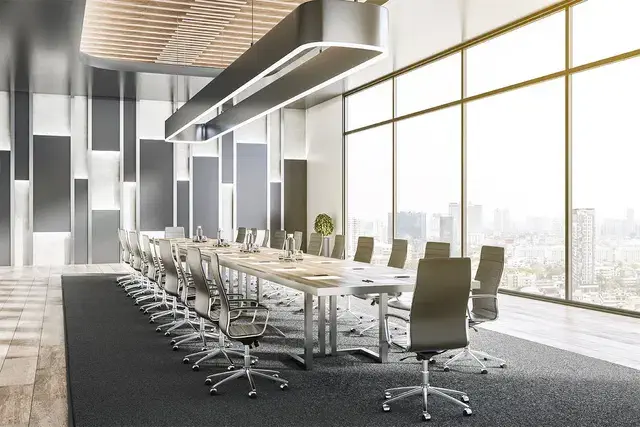
We help at every stage, at no extra cost. Let us know what you need and we’ll walk you through the rest. It doesn’t matter if you’re a small or enterprise size business, we partner with a large range of companies.

Planning
Purchasing
Installation
Resort properties adjust content between high season marketing and local resident promotions. Restaurant operations modify menu presentations and pricing strategies based on tourist versus local customer patterns throughout the year.
The best digital signage for small business emphasizes durability in desert conditions where temperature extremes and dust exposure affect equipment differently than temperate climates. Indoor digital signage installations account for air conditioning requirements and thermal management in Arizona’s heat. Samsung provides warranty coverage and service support throughout the Phoenix metro area including Scottsdale’s luxury commercial districts.
Frequently Asked Questions (FAQ)
What is digital signage?
Digital signage is a screen that displays dynamic content instead of static printed signs. They are digital signs where you control what appears on the screen remotely through software, so you can update pricing, promotions, announcements, or visuals without printing anything or physically visiting the location. Common uses include restaurant digital menus, retail advert displays, lobby directories, and corporate communication screens.
How much do business displays cost?
It varies wildly depending on your needs, which is why we must do a consultation first. For Samsung commercial displays, expect $1,000 to $3,000 per screen depending on size and model. A 65″ QB series (350 nit, 16/7 rated) runs around $1,100 to $1,300. A 65″ QH series (700 nit, 24/7 rated) runs $1,700 to $2,000. Installation adds $200 to $400 per screen. Content management software like Samsung VXT starts at $10 per screen per month ($120 annually) for the S Series. Total cost for a single-screen setup typically ranges from $1,500 to $4,000. Our consulting and planning services are free. You only pay for hardware and installation.
Do I need a separate media player?
No. Samsung’s commercial displays have built-in Tizen processors that run content directly on the screen. You upload content through cloud software and the screen handles playback. This eliminates the need for external computers, media boxes, or USB drives. It also means fewer cables and fewer points of failure.
How long does installation take?
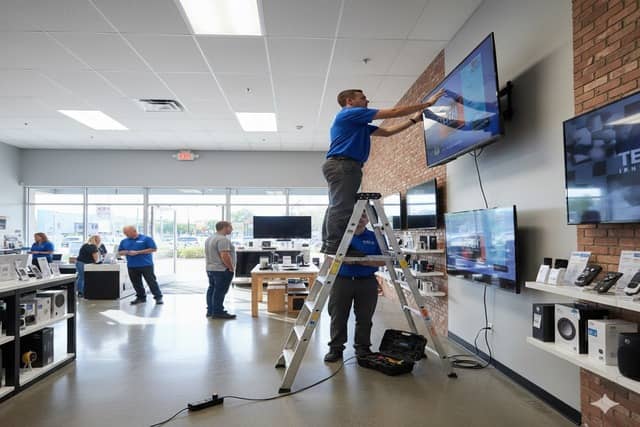
Typically 2 to 3 hours per screen. This includes mounting the display, running power, connecting to WiFi, configuring the software, and loading initial content. Multi-screen installations or complex setups like video walls take longer.
Can I update content myself?
Yes. Samsung VXT and similar platforms let you log in from any computer or phone to change what’s on screen. You can update text, swap images, adjust schedules, or push new content to multiple locations simultaneously. No technical expertise required. Most updates take less than five minutes. VXT is currently considered to be one of the best digital signage software in 2025/2026.
What's Samsung VXT?
Samsung VXT is Samsung’s cloud-based content management software. It lets you create, schedule, and deploy content to your displays from anywhere. Features include drag-and-drop content creation, automated scheduling, remote monitoring, and analytics on what content plays when. It integrates directly with Samsung’s commercial displays and requires no additional hardware.
What's the difference between a commercial display and a regular TV?
Commercial displays are built for extended operation (16+ hours daily), have higher brightness (350 to 500+ nits versus 200 to 300 nits for consumer TVs), include built-in content management, have no visible branding on the bezel, and carry commercial warranties. Consumer TVs are designed for 4 to 6 hours of daily home use and will fail quickly in commercial settings.
Do you service areas outside Scottsdale?
Yes. We install and support digital signage projects throughout North America. However, we have centralized support in specific cities around the US, like Scottsdale.
A medical office building in North Scottsdale had multiple specialty practices sharing common areas and patient waiting spaces. Patients regularly sat in wrong waiting areas because the building’s layout was confusing and directional signage was minimal. This created problems when medical staff called patients from specific waiting zones and people in other areas missed their appointments entirely.
Digital displays positioned at the building entrance and at each hallway intersection now show clear directional information to each practice along with suite numbers and specialty types. The wayfinding system uses color coding and simple graphics that work for elderly patients and those unfamiliar with medical terminology.
Missed appointments due to patients waiting in wrong areas dropped substantially. Medical practices report better patient flow and fewer delays caused by locating confused patients throughout the building. The building management expanded the system to include parking information and general health education content during wait times, adding value beyond the original wayfinding problem.