
Business Technology Advisors
Digital Signage in Sacramento, CA.
Electronic displays reduce the burden on reception staff who otherwise spend entire days providing directions and answering basic procedural questions. The same technology works for private sector offices, medical practices, and retail operations facing similar challenges getting information to people who won’t read websites or printed materials.
Temperature extremes in the Central Valley affect equipment performance. Summer heat regularly exceeds 100 degrees, and commercial-grade components handle these conditions better than consumer electronics designed for climate-controlled homes. Businesses choosing appropriate equipment avoid premature failures and replacement costs.
We Service
Retail Restaurants Hospitality Corporate Offices Healthcare Banking Schools Government

Digital Menus
Transform your Sacramento restaurant or café with dynamic menu boards.
✓ Update pricing instantly
✓ Reduce wait times
✓ Increase check averages

Info Displays
Information displays keep your space organized and standardize the experience across California and any of your other locations.
✓ Wayfinding digital screens
✓ Emergency alerts
✓ Visitor management

Art Displays
Stand out with incredible showcases of rotating artwork or a digital marquee.
✓ Rotating galleries
✓ Branded content
✓ Atmosphere
Hardware & Software
Features
Synced Playback
Conditional Displays
Publish Date Control
Bulk Screen Setup
Preset Configurations
Auto-Dimming Timers
Proactive Alerts
Energy Use Monitors
What We Help With:
We help at every stage, at no extra cost. Let us know what you need and we’ll walk you through the rest. It doesn’t matter if you’re a small or enterprise size business, we partner with a large range of companies.

Planning
Purchasing
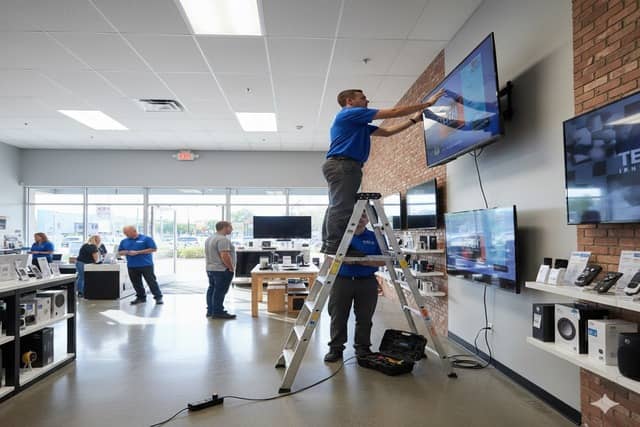
Installation
Real value comes from flexibility. Change restaurant menus when ingredients run out. Update office announcements when meetings get rescheduled. Adjust retail promotions based on inventory levels. These updates happen in minutes through simple interfaces rather than requiring printed materials, vendor calls, or staff time traveling between locations.
Government contractors, agricultural businesses, healthcare providers, and hospitality operations around Sacramento all implement these systems for different reasons but share common needs: communicate clearly, update information quickly, and avoid ongoing maintenance headaches. Systems that work reliably without constant attention suit Sacramento’s practical business culture better than complicated platforms requiring dedicated technical staff.
Frequently Asked Questions (FAQ)
What is digital signage?
Digital signage is a screen that displays dynamic content instead of static printed signs. They are digital signs where you control what appears on the screen remotely through software, so you can update pricing, promotions, announcements, or visuals without printing anything or physically visiting the location. Common uses include restaurant digital menus, retail advert displays, lobby directories, and corporate communication screens.
How much do business displays cost?
It varies wildly depending on your needs, which is why we must do a consultation first. For Samsung commercial displays, expect $1,000 to $3,000 per screen depending on size and model. A 65″ QB series (350 nit, 16/7 rated) runs around $1,100 to $1,300. A 65″ QH series (700 nit, 24/7 rated) runs $1,700 to $2,000. Installation adds $200 to $400 per screen. Content management software like Samsung VXT starts at $10 per screen per month ($120 annually) for the S Series. Total cost for a single-screen setup typically ranges from $1,500 to $4,000. Our consulting and planning services are free. You only pay for hardware and installation.
Do I need a separate media player?
No. Samsung’s commercial displays have built-in Tizen processors that run content directly on the screen. You upload content through cloud software and the screen handles playback. This eliminates the need for external computers, media boxes, or USB drives. It also means fewer cables and fewer points of failure.
How long does installation take?
Typically 2 to 3 hours per screen. This includes mounting the display, running power, connecting to WiFi, configuring the software, and loading initial content. Multi-screen installations or complex setups like video walls take longer.
Can I update content myself?
Yes. Samsung VXT and similar platforms let you log in from any computer or phone to change what’s on screen. You can update text, swap images, adjust schedules, or push new content to multiple locations simultaneously. No technical expertise required. Most updates take less than five minutes. VXT is currently considered to be one of the best digital signage software in 2025/2026.
What's Samsung VXT?
Samsung VXT is Samsung’s cloud-based content management software. It lets you create, schedule, and deploy content to your displays from anywhere. Features include drag-and-drop content creation, automated scheduling, remote monitoring, and analytics on what content plays when. It integrates directly with Samsung’s commercial displays and requires no additional hardware.
What's the difference between a commercial display and a regular TV?
Commercial displays are built for extended operation (16+ hours daily), have higher brightness (350 to 500+ nits versus 200 to 300 nits for consumer TVs), include built-in content management, have no visible branding on the bezel, and carry commercial warranties. Consumer TVs are designed for 4 to 6 hours of daily home use and will fail quickly in commercial settings.
Do you service areas outside Sacramento?
Yes. We install and support digital signage projects throughout North America. However, we have centralized support in specific cities around the US, like Sacramento.
A veterinary emergency clinic in Natomas faced a specific problem during overnight hours. Pet owners arrived stressed about their animals and had difficulty understanding triage processes, expected wait times, and what information to have ready. The overnight staff of two people couldn’t effectively manage intake paperwork, answer procedure questions, and provide emotional support to distressed pet owners simultaneously.
Waiting room displays now walk pet owners through what to expect, triage assessment happens first, critical cases go immediately to treatment, stable patients wait in order of arrival. The screens explain what information staff will need and show approximate wait times based on current patient load. Educational content about common emergencies plays during longer waits.