
Business Technology Advisors
Digital Signage in San Francisco, CA.
San Francisco’s tech industry concentration drives demand for corporate digital signage that goes beyond basic internal communications. Companies throughout SoMa and the Financial District use commercial displays for real-time data visualization, collaborative workspace management, and visitor experiences that reflect their innovation-focused brand positioning. Restaurant digital signage in Union Square and Fisherman’s Wharf handles high tourist volumes with menu content that adjusts pricing and availability throughout service periods.
Hotel digital signage serves diverse guest populations from international tourists to business travelers attending conferences at Moscone Center. Retail digital signage coordinates messaging across San Francisco’s distinct neighborhoods where customer demographics shift dramatically between areas. Cloud-based digital signage systems manage content across the city’s challenging geography where businesses operate in multiple districts with different characteristics.
We Service
Retail Restaurants Hospitality Corporate Offices Healthcare Banking Schools Government
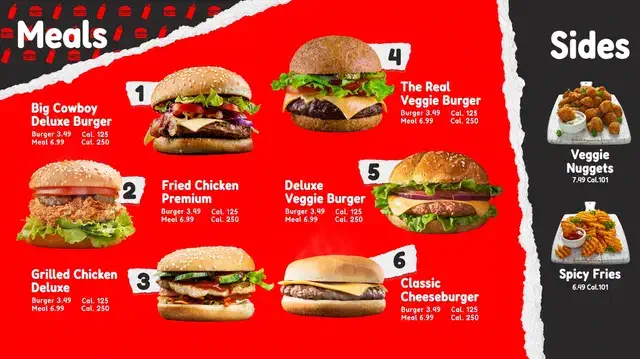
Digital Menus
Transform your San Francisco restaurant or café with dynamic menu boards.
✓ Update pricing instantly
✓ Reduce wait times
✓ Increase check averages
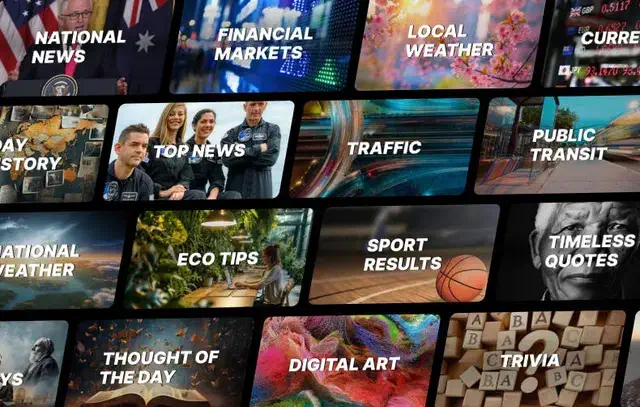
Info Displays
Information displays keep your space organized and standardize the experience across California and any of your other locations.
✓ Wayfinding digital screens
✓ Emergency alerts
✓ Visitor management

Art Displays
Stand out with incredible showcases of rotating artwork or a digital marquee.
✓ Rotating galleries
✓ Branded content
✓ Atmosphere
Hardware & Software
Features
Synced Playback
Conditional Displays
Publish Date Control
Bulk Screen Setup
Preset Configurations
Auto-Dimming Timers
Proactive Alerts
Energy Use Monitors
What We Help With:
We help at every stage, at no extra cost. Let us know what you need and we’ll walk you through the rest. It doesn’t matter if you’re a small or enterprise size business, we partner with a large range of companies.

Planning
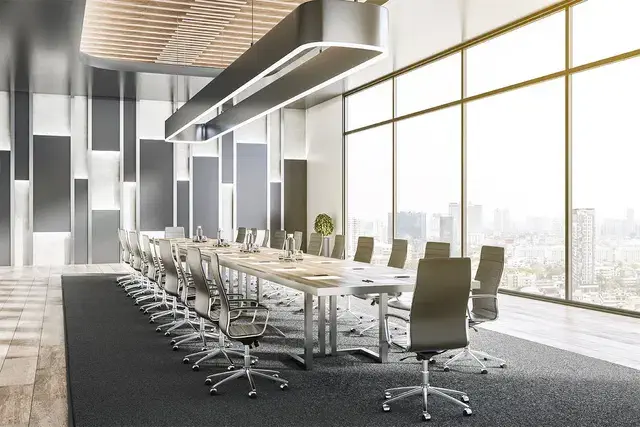
Purchasing
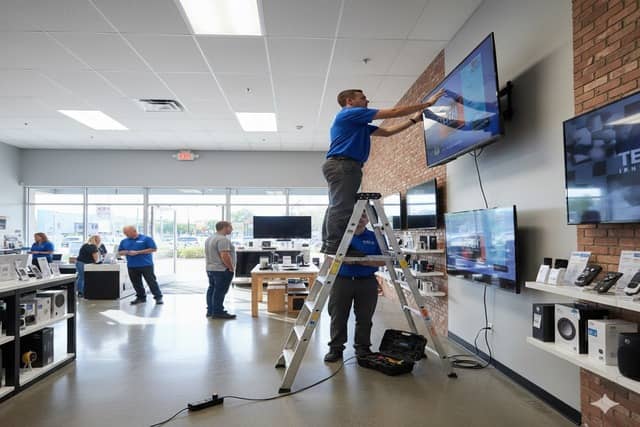
Installation
Digital signage software platforms matter more in San Francisco than many markets because real estate costs make every square foot count. Businesses use displays to maximize limited lobby space, eliminate printed materials consuming wall space, and provide information density impossible with traditional signage. The TV content management system approach allows small businesses to compete visually with larger brands without dedicated marketing staff.
Indoor digital signage installations throughout San Francisco account for historic building constraints and seismic requirements affecting wall mounting approaches. Best digital signage for small business prioritizes systems requiring minimal ongoing support since many SF businesses lack in-house technical resources despite operating in a tech-centric city.
Frequently Asked Questions (FAQ)
What is digital signage?
Digital signage is a screen that displays dynamic content instead of static printed signs. They are digital signs where you control what appears on the screen remotely through software, so you can update pricing, promotions, announcements, or visuals without printing anything or physically visiting the location. Common uses include restaurant digital menus, retail advert displays, lobby directories, and corporate communication screens.
How much do business displays cost?
It varies wildly depending on your needs, which is why we must do a consultation first. For Samsung commercial displays, expect $1,000 to $3,000 per screen depending on size and model. A 65″ QB series (350 nit, 16/7 rated) runs around $1,100 to $1,300. A 65″ QH series (700 nit, 24/7 rated) runs $1,700 to $2,000. Installation adds $200 to $400 per screen. Content management software like Samsung VXT starts at $10 per screen per month ($120 annually) for the S Series. Total cost for a single-screen setup typically ranges from $1,500 to $4,000. Our consulting and planning services are free. You only pay for hardware and installation.
Do I need a separate media player?
No. Samsung’s commercial displays have built-in Tizen processors that run content directly on the screen. You upload content through cloud software and the screen handles playback. This eliminates the need for external computers, media boxes, or USB drives. It also means fewer cables and fewer points of failure.
How long does installation take?
Typically 2 to 3 hours per screen. This includes mounting the display, running power, connecting to WiFi, configuring the software, and loading initial content. Multi-screen installations or complex setups like video walls take longer.
Can I update content myself?
Yes. Samsung VXT and similar platforms let you log in from any computer or phone to change what’s on screen. You can update text, swap images, adjust schedules, or push new content to multiple locations simultaneously. No technical expertise required. Most updates take less than five minutes. VXT is currently considered to be one of the best digital signage software in 2025/2026.
What's Samsung VXT?
Samsung VXT is Samsung’s cloud-based content management software. It lets you create, schedule, and deploy content to your displays from anywhere. Features include drag-and-drop content creation, automated scheduling, remote monitoring, and analytics on what content plays when. It integrates directly with Samsung’s commercial displays and requires no additional hardware.
What's the difference between a commercial display and a regular TV?
Commercial displays are built for extended operation (16+ hours daily), have higher brightness (350 to 500+ nits versus 200 to 300 nits for consumer TVs), include built-in content management, have no visible branding on the bezel, and carry commercial warranties. Consumer TVs are designed for 4 to 6 hours of daily home use and will fail quickly in commercial settings.
Do you service areas outside San Francisco?
Yes. We install and support digital signage projects throughout North America. However, we have centralized support in specific cities around the US, like San Francisco.
A co-working space in SoMa had persistent problems with meeting room confusion as different member companies booked spaces throughout their multi-floor facility. Members frequently went to wrong floors or interrupted occupied rooms looking for available space. The front desk couldn’t effectively track real-time room availability across the building, and the printed directory became outdated within hours as bookings changed.
Digital displays installed outside meeting rooms and at each floor’s elevator bank now show real-time availability integrated with their booking system. Members see which rooms are open before walking around the building. The color-coded availability system (green for available, red for occupied, yellow for ending soon) provides information at a glance.
Meeting room utilization increased because members can identify available spaces during unplanned collaboration needs instead of giving up and working from their desks. The co-working space also uses lobby displays to showcase member companies and promote community events, strengthening the networking value that members cite as a primary reason for choosing shared workspace over traditional offices.