
Business Technology Advisors
Digital Signage in Washington, DC.
Hotel digital signage near the convention center serves rotating conference groups while properties around the National Mall cater to tourist populations requiring completely different content approaches. Restaurant digital signage throughout Georgetown, Capitol Hill, and Penn Quarter adjusts for lunch crowds of government workers versus evening diners and weekend tourists.
Samsung’s QB series at 350 nit brightness handles typical office and association headquarters environments, while QH series with 700 nit brightness serves hotel lobbies and spaces with extensive natural light exposure. Screen sizes from 50″ to 85″+ accommodate different viewing distances in conference facilities, building lobbies, and convention spaces throughout the District. Cloud-based digital signage platforms manage content across organizations operating in multiple DC buildings or coordinating with offices in surrounding Virginia and Maryland jurisdictions.
We Service
Retail Restaurants Hospitality Corporate Offices Healthcare Banking Schools Government
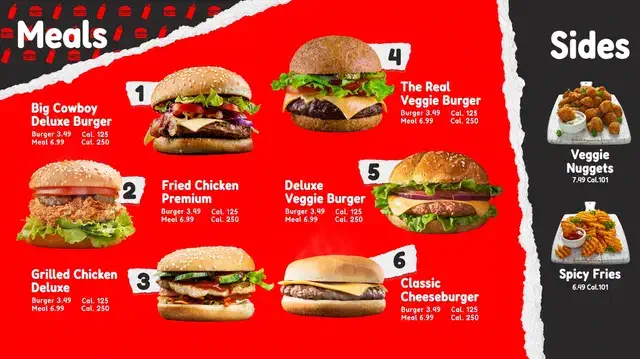
Digital Menus
Transform your Washington restaurant or café with dynamic menu boards.
✓ Update pricing instantly
✓ Reduce wait times
✓ Increase check averages
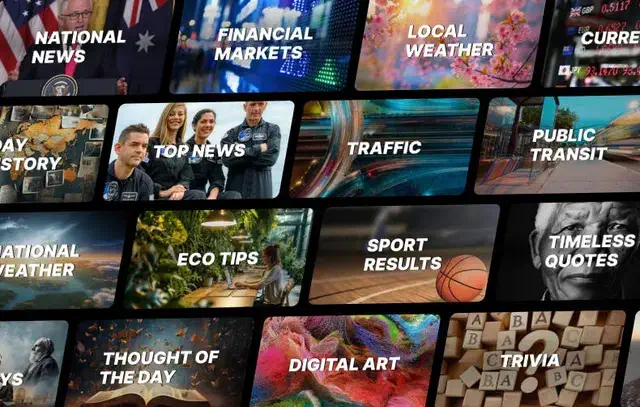
Info Displays
Information displays keep your space organized and standardize the experience across DC and any of your other locations.
✓ Wayfinding digital screens
✓ Emergency alerts
✓ Visitor management

Art Displays
Stand out with incredible showcases of rotating artwork or a digital marquee.
✓ Rotating galleries
✓ Branded content
✓ Atmosphere
Hardware & Software
Features
Synced Playback
Conditional Displays
Publish Date Control
Bulk Screen Setup
Preset Configurations
Auto-Dimming Timers
Proactive Alerts
Energy Use Monitors
What We Help With:
We help at every stage, at no extra cost. Let us know what you need and we’ll walk you through the rest. It doesn’t matter if you’re a small or enterprise size business, we partner with a large range of companies.
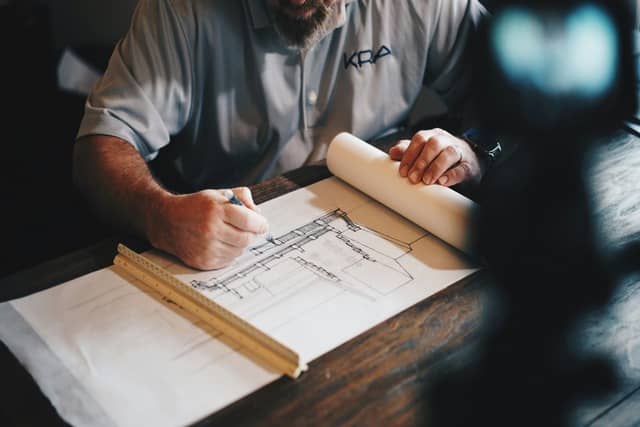
Planning
Purchasing
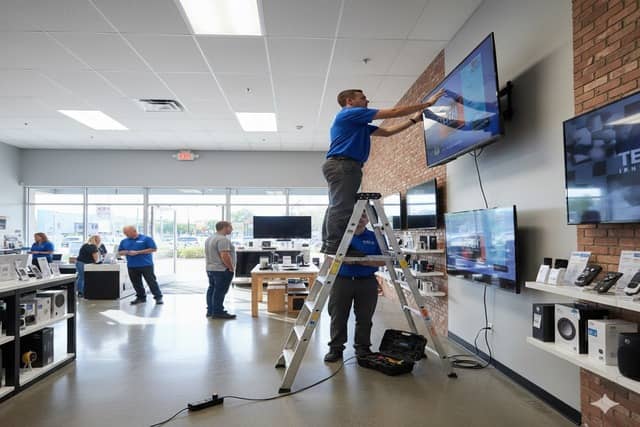
Installation
Professional associations use digital signage solutions for member communications, event management, and advocacy messaging in ways that differ from typical corporate applications. The TV content management system allows communications teams to schedule different content for member meetings versus public-facing events without manual intervention.
The best digital signage for small business matters particularly in DC where smaller organizations compete visually with well-funded associations and government contractors in shared office buildings and conference facilities. Indoor digital signage installations account for security requirements and building restrictions common in DC commercial spaces. Commercial displays include warranty coverage with regional service support throughout the greater Washington metropolitan area.
Frequently Asked Questions (FAQ)
What is digital signage?
Digital signage is a screen that displays dynamic content instead of static printed signs. They are digital signs where you control what appears on the screen remotely through software, so you can update pricing, promotions, announcements, or visuals without printing anything or physically visiting the location. Common uses include restaurant digital menus, retail advert displays, lobby directories, and corporate communication screens.
How much do business displays cost?
It varies wildly depending on your needs, which is why we must do a consultation first. For Samsung commercial displays, expect $1,000 to $3,000 per screen depending on size and model. A 65″ QB series (350 nit, 16/7 rated) runs around $1,100 to $1,300. A 65″ QH series (700 nit, 24/7 rated) runs $1,700 to $2,000. Installation adds $200 to $400 per screen. Content management software like Samsung VXT starts at $10 per screen per month ($120 annually) for the S Series. Total cost for a single-screen setup typically ranges from $1,500 to $4,000. Our consulting and planning services are free. You only pay for hardware and installation.
Do I need a separate media player?
No. Samsung’s commercial displays have built-in Tizen processors that run content directly on the screen. You upload content through cloud software and the screen handles playback. This eliminates the need for external computers, media boxes, or USB drives. It also means fewer cables and fewer points of failure.
How long does installation take?
Typically 2 to 3 hours per screen. This includes mounting the display, running power, connecting to WiFi, configuring the software, and loading initial content. Multi-screen installations or complex setups like video walls take longer.
Can I update content myself?
Yes. Samsung VXT and similar platforms let you log in from any computer or phone to change what’s on screen. You can update text, swap images, adjust schedules, or push new content to multiple locations simultaneously. No technical expertise required. Most updates take less than five minutes. VXT is currently considered to be one of the best digital signage software in 2025/2026.
What's Samsung VXT?
Samsung VXT is Samsung’s cloud-based content management software. It lets you create, schedule, and deploy content to your displays from anywhere. Features include drag-and-drop content creation, automated scheduling, remote monitoring, and analytics on what content plays when. It integrates directly with Samsung’s commercial displays and requires no additional hardware.
What's the difference between a commercial display and a regular TV?
Commercial displays are built for extended operation (16+ hours daily), have higher brightness (350 to 500+ nits versus 200 to 300 nits for consumer TVs), include built-in content management, have no visible branding on the bezel, and carry commercial warranties. Consumer TVs are designed for 4 to 6 hours of daily home use and will fail quickly in commercial settings.
Do you service areas outside Washington?
Yes. We install and support digital signage projects throughout North America. However, we have centralized support in specific cities around the US, like Washington.
A professional association headquarters near Dupont Circle hosted multiple events weekly including member meetings, public policy briefings, media events, and educational conferences. Their static building directory and printed event signage created constant confusion as different groups arrived for simultaneous events in various conference rooms. Staff spent excessive time directing visitors to correct floors and rooms, and people frequently interrupted wrong meetings looking for their event.
Digital displays at the building entrance and each floor now show current day events with room assignments, start times, and directional information. The system integrates with their event booking platform so information updates automatically when rooms change or events get rescheduled. Color coding helps visitors quickly identify which event they’re attending from the list of simultaneous programs. Visitor confusion decreased substantially and staff can focus on event logistics rather than providing directions.